Forms Builder - Powerful Lead & Data Capture Forms for Any Campaign

Effortlessly create high‑converting forms for lead capture, surveys, contests, and more - no code required. Campaign Builder’s Forms tool helps ecommerce stores, agencies, and marketing teams build flexible, brand‑aligned forms that convert and integrate seamlessly into automation workflows.

No credit card required 14-day free trial Setup in 5 mins.

HTML5

What Are Marketing Forms?

Marketing forms are online tools used to collect information from your website visitors. They can gather details like email addresses, names, or other demographic information, as well as responses to surveys, contest entries, and product preferences.

These forms are a vital part of building email lists, qualifying leads, capturing customer insights, and driving automated marketing workflows. Whether you run a small ecommerce store, manage campaigns for multiple clients as an agency, or oversee in-house marketing operations, well-designed forms allow you to engage visitors, capture valuable data, and turn them into loyal customers.
Mockup

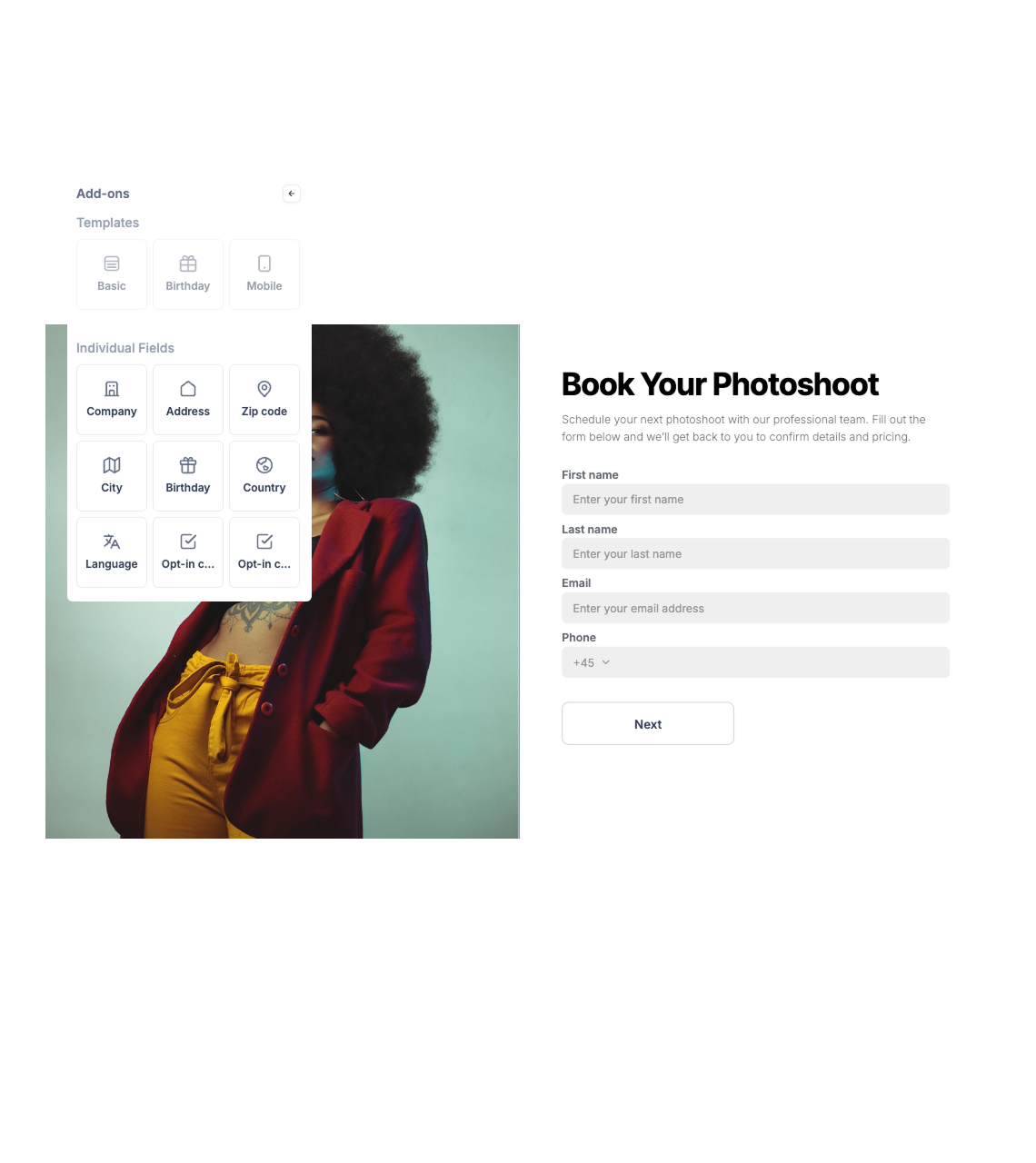
Start from template or scratch

Pick a design that suits your goal (lead form, survey, etc.)
Mockup

Style to Match Your Brand

Fonts, colors, images, layout - close match your website or campaign visuals
Mockup

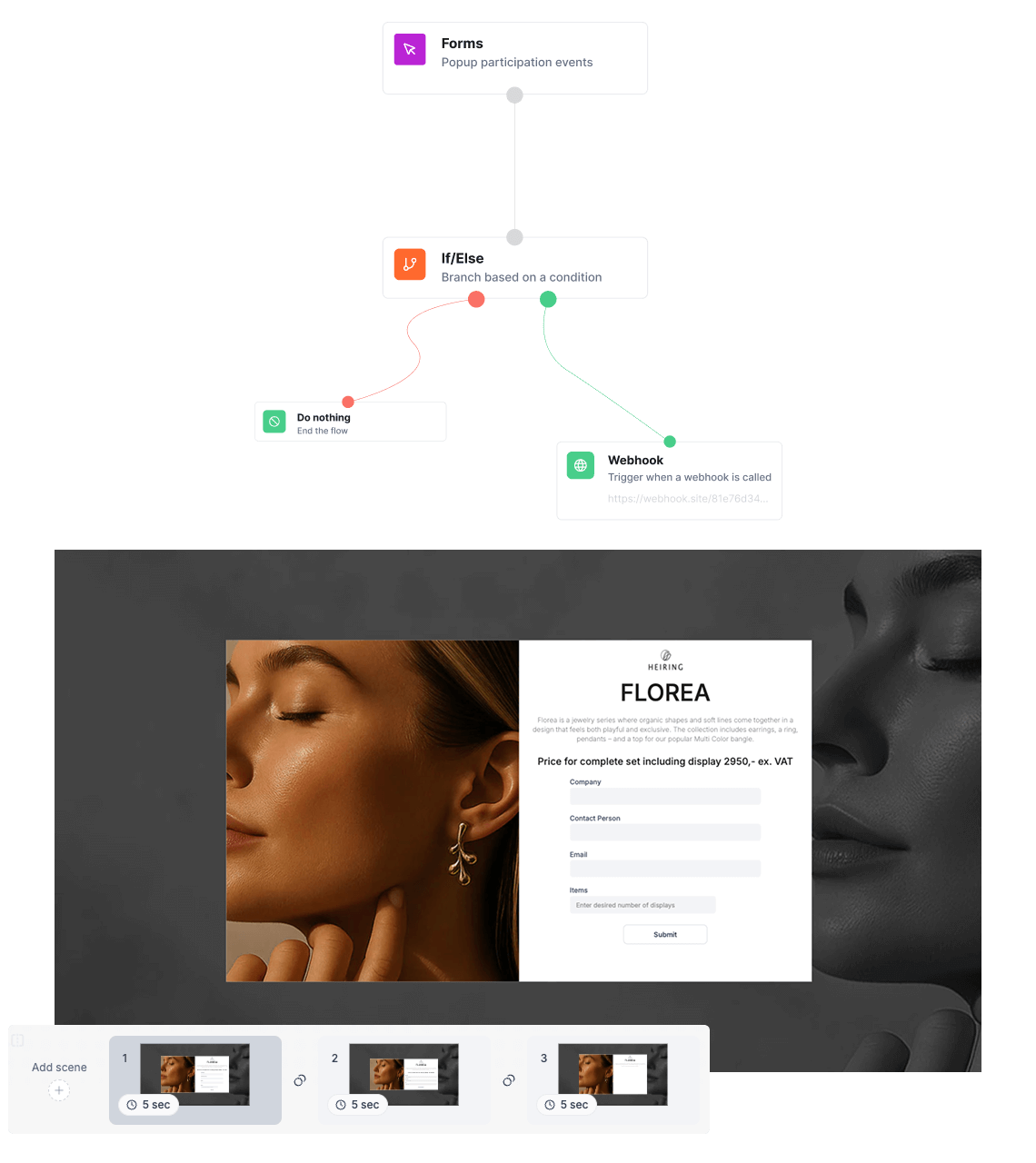
Integrate with tools

Forms connect to your CRM, email marketing tools, SMS workflows, and automation rules.
Mockup

Publish & Embed

Share a link, embed on site, or host under your domain. Test on desktop and mobile.

Get started with form building

Follow these five steps to create, publish, and optimize forms that capture data and drive results.

01.

Choose your form type

Start with a template or build from scratch based on your use case - lead capture, surveys, or signups.

02.

Add and customize fields

Create forms with flexible fields, validation, and logic tailored to your needs.

03.

Design your form

Match your brand with customizable layouts, colors, and styling - no coding required.

04.

Set up logic and automation

Use conditional logic and workflows to personalize the experience and automate responses.

05.

Publish and collect data

Embed your form or share it anywhere, and start collecting and managing responses instantly.

Everything you need to build high-performing forms

From design to data collection and automation - create forms that are easy to use, flexible, and built to convert.

Drag-and-drop builder

Create forms quickly with an intuitive editor - no technical skills required.

Flexible form fields

Add text inputs, dropdowns, checkboxes, file uploads, and more to fit any use case.

Conditional logic

Show or hide fields based on user input to create smarter, more relevant form experiences.

Custom branding

Style your forms to match your brand with full control over design and layout.

Multi-step forms

Break forms into steps to improve user experience and increase completion rates.

Data collection & management

Store, organize, and access all submissions in one place.

Integrations & automation

Connect your forms to your tools and automate workflows based on submissions.

Embed and share anywhere

Easily add forms to your website or share via direct links.

Frequently asked questions

Everything you need to know about Forms
Can forms be embedded anywhere on my site?
Yes - embed forms in landing pages, blog posts, popups, or standalone pages.
Can I connect forms to my email or SMS workflows?
Absolutely - Campaign Builder integrates your forms with email and SMS campaigns, automation workflows, and external systems via API/webhooks.
Are multi‑step forms supported?
Yes - multi‑step forms are available to improve user engagement and completion rates.
Can I conditionally show fields?
Yes - use conditional logic to tailor forms based on responses
Create More forms. In Less Time

Ready to Capture More Leads With Intelligent Forms?

Build your first customized form and start turning visitors into subscribers and customers - with zero coding.